


AGV Supervisory Control System (Reference Design)
Model: Reference Design
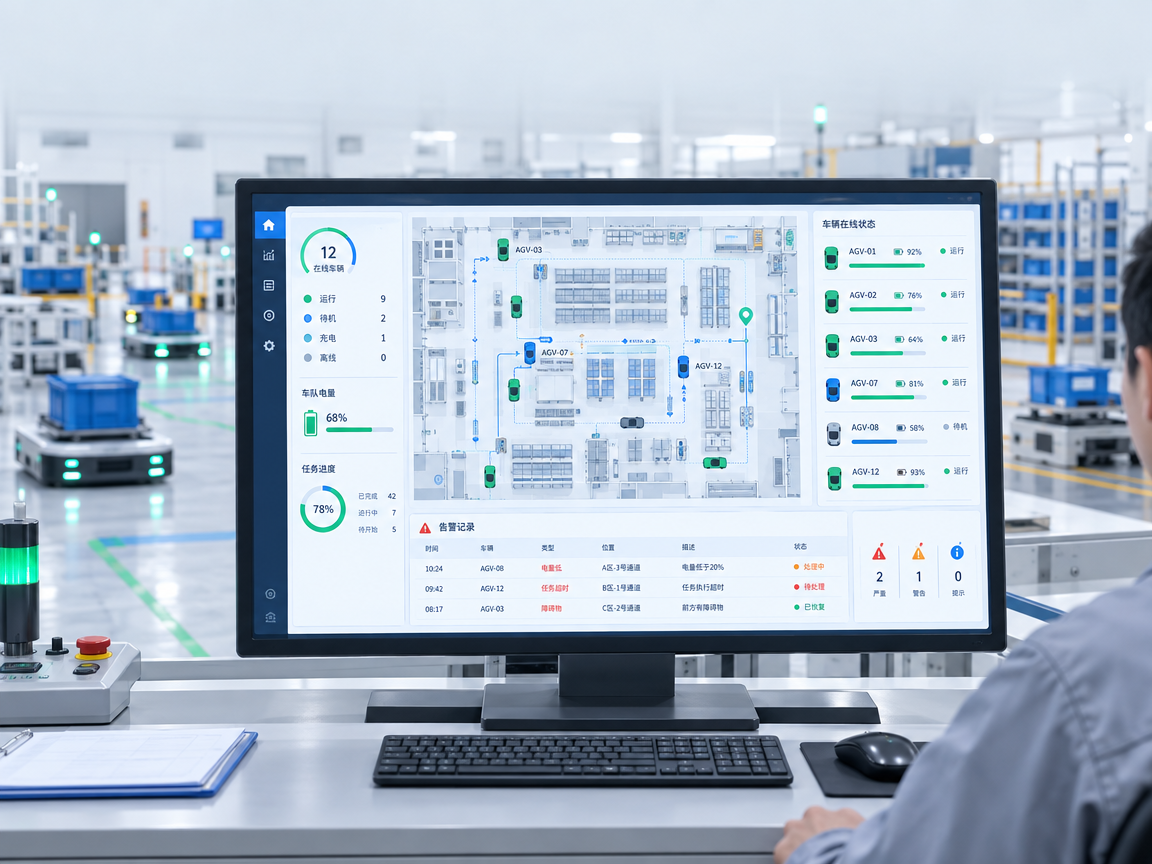
Solution Overview
Give operations and maintenance staff one view of AGVs, missions, maps, and site equipment. Define role-based access to monitoring, mission commands, configuration, and manual takeover.
Fleet overview
Show vehicle connectivity, position, current mission, battery level, and active alarms.
Operator controls
Expose mission creation, pause, cancellation, and station views according to the vehicle interface and operator permissions.
Alarms and logs
Record time, device, fault code, and resolution together to support troubleshooting and shift handover.
Access and configuration
Assign roles for administrators, operators, and maintenance staff. Record changes to maps, devices, and interfaces.
Deployment Workflow
- Connect equipment and mission data.
- Display current conditions in the operator view.
- Let authorized users handle alarms or missions.
- Log actions and make records searchable.
Production shifts
Monitor dispersed vehicles and alarms from one interface.
Maintenance
Find the device, mission, and commands associated with a reported fault.
Implementation and Acceptance
Confirm refresh intervals, record retention, user count, and the deployment network. Align remote operation and takeover with site procedures and verify the safety conditions independently of dashboard state.
This is a reference integration design. Scope, interfaces, deployment size, and performance depend on project requirements. The cover image illustrates an application and does not depict a delivered project.
Specifications
| Show objects | Vehicle fleet, missions, maps, sites and alerts |
|---|---|
| Operating Permissions | Management, operation, maintenance etc. by organization |
| Data sources | Vehicle, movement control platform and field equipment interface |
| History | Warning, mission, operation and configuration changes |
| Terminal form | PC or project-specific touch terminals |
| Acceptance Criteria | Permission control, consistency of status, abnormal location and record queries |
Product Features
- Operational overview: display of vehicle online status, location, mission schedule, electricity and alarms to help people quickly find the equipment that needs to be processed.
- Operational management: Provide access to missions, pauses, cancellations and site visits, with the appropriate operations open to vehicle interfaces and on-site privileges.
- Warning and log: Keeps the abnormal time, equipment number, error code and treatment results associated with them, to facilitate trouble-checking and shift-to-shift.
- Authority and configuration: Maintain maps, equipment and interface configurations and record key operational changes by managing, operating and maintaining role planning authority.
 Ms. Lei
 Mr. Pang